
The MR4 2026 Summer Release introduces two major additions: the new Powers Return to Sport Assessment and the launch of the Vector 1D Force Plate. Broader connectivity and practical workflow improvements further expand how clinicians, sports performance professionals, and researchers can capture, analyze, and communicate human movement data.
Power’s Return to Sport Assessment
Structured Return-to-Sport Testing with 2D Markerless Analysis
MR4 now includes a dedicated return-to-sport workflow grounded in peer-reviewed research by Straub and Powers (2025). The assessment translates Dr. Christopher Powers’ movement assessment methodology into a guided, clinic-friendly workflow that uses synchronized frontal and sagittal video to evaluate movement quality across a standardized series of athletic tasks with 2D markerless analysis.
A purpose-built report presents summary results first, followed by activity-level scores, category visualizations, and annotated snapshots from both camera views. Dynamic scoring supports bilateral, single-side, and partial protocols, keeping the evaluation aligned with the activities actually completed. The result is a more structured, repeatable, and presentation-ready return-to-sport workflow.
Key capabilities
- Guided multi-activity capture using frontal and sagittal camera views
- Automated 2D markerless analysis with rubric-based movement quality scoring
- Activity, side, and overall scores calculated from completed tasks
- Support for bilateral, single-side, and partial assessment protocols
- Dedicated report with summary results, score bars, radar-style category views, and annotated snapshots
Vector 1D Force Plates
Simple, Objective Vertical Force Measurement in MR4
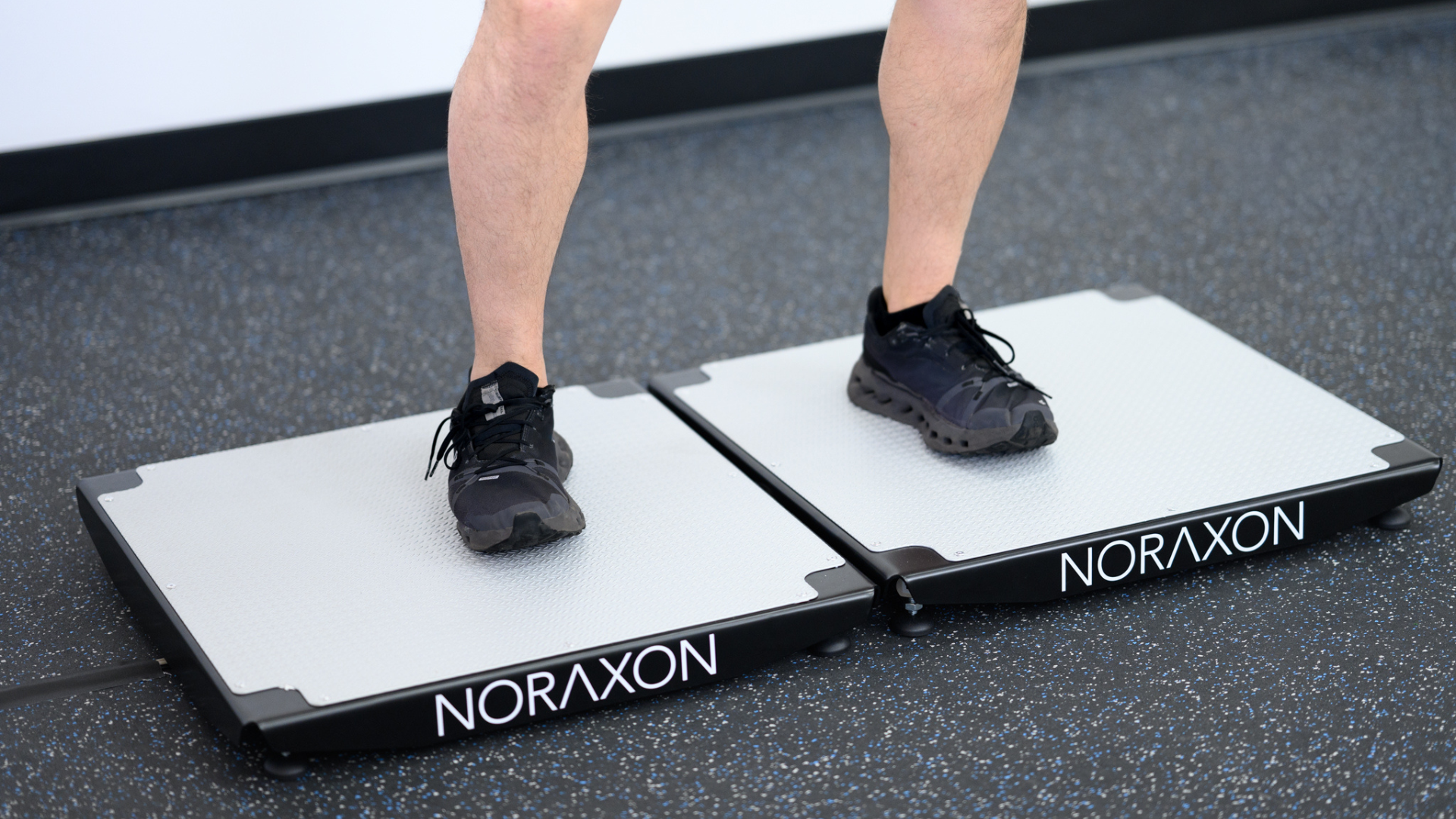
The Summer Release introduces the Vector 1D Force Plate, a practical, portable platform for measuring vertical ground reaction forces in performance testing, training, research, and applied movement analysis. Native MR4 integration brings device setup, synchronized recording, analysis, and reporting into the same workflow used with other Noraxon measurement technologies.
Automated analysis supports common jump protocols as well as balance and sway, isometric, and swing assessments. Users can access more than 65 jump performance metrics and customizable reports to evaluate force production, timing, symmetry, and movement strategy, making objective force testing easier to incorporate into performance testing, training, and research workflows.
Key capabilities
- Native device setup, synchronized recording, analysis, and reporting in MR4
- Automated analysis for countermovement, squat, drop, broad, landing, hopping, and unilateral jump
protocols - More than 65 metrics spanning force, impulse, power, jump height, take-off velocity, timing, stabilization,
and symmetry - Real-time force vector overlays and center-of-pressure animation
- 1,000 Hz force capture with USB power and data, plus TTL synchronization for integrated testing workflows
- Support for Novotek 1D force plate systems
Connectivity and Interoperability
Lab Streaming Layer Synchronization
MR4 now supports Lab Streaming Layer (LSL) synchronization, expanding compatibility with research and multimodal data collection environments that rely on shared time-code-based synchronization.
FBX Animation Export
Motion capture recordings can now be exported as skeletal animation data in FBX format for use in Unity, Maya, MotionBuilder, Blender, and other 3D applications. The export preserves the skeletal hierarchy, animated joint transforms, timing, frame count, and frame rate.
Platform and Workflow Enhancements
Faster myoMOTION Static Calibration
Static pose calibration has been reduced to one second, decreasing setup time and making calibration easier for users or patients who have difficulty remaining still.
For myoMOTION users, this option can be enabled in the Software Setup → myoMOTION settings.
Improved Multi-Activity Recording
New Skip and Redo controls make structured sessions easier to manage, while video is now limited to active recording intervals to reduce unnecessary file size.
Restore Predefined Protocols
Users can restore the latest predefined protocols included with the installed MR4 version without performing a clean reinstall. Custom protocols remain protected unless overwrite is confirmed.
Improved Error Message and Sensor Health Feedback
Clearer Ultium Motion sensor labels in error message and enhanced zero gyros and sensor health feedback simplify troubleshooting.
Enhanced NiNOX 240c Driver with Levels Adjustment
Improves camera setup flexibility and helps users optimize image capture conditions more easily.
Calibration Traceability
Functional calibration workflows now preserve the static reference pose as a short recorded activity, providing a clearer calibration history for review and support.
Record and Activation Support
Basic Record Info now stores the MR4 version used to create each recording, and activation errors include a direct link to the Software Maintenance checker.
Flexible Joint Angle Conventions
New inverted display options for hip extension and ankle plantarflexion allow users to present these measures as positive values when preferred.
Together, these updates deliver new clinical assessment value, more open connectivity, and a smoother day-to- day experience across the MR4 platform.
Click here to see if you’re eligible for the update.
FAQs
Installation: Can this version be installed as a patch update?
Yes. MR 4.2026 can be installed as a patch update over an existing MR4 installation. Your existing setup and data will remain intact.
For step-by-step instructions, please refer to:
👉 https://www.noraxon.com/article/how-to-install-an-mr-patch-update/
License Activation: Will I need to reactivate my license after updating?
Yes. After installing MR 4.2026, you will be prompted to reactivate your software license to enable the new feature set.
- If your Software Maintenance Status is current, activation will proceed without issue
- If your Software Maintenance Status is not current, activation will be blocked and you will be prompted to contact your sales representative
You can check your Software Maintenance Status here:
👉 https://www.noraxon.com/maintenance/