

Offline Data Recovery is recommended when data loss is extensive or intermittent for long recordings. To recover data offline ensure the system is plugged in as described below:
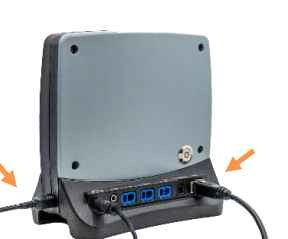
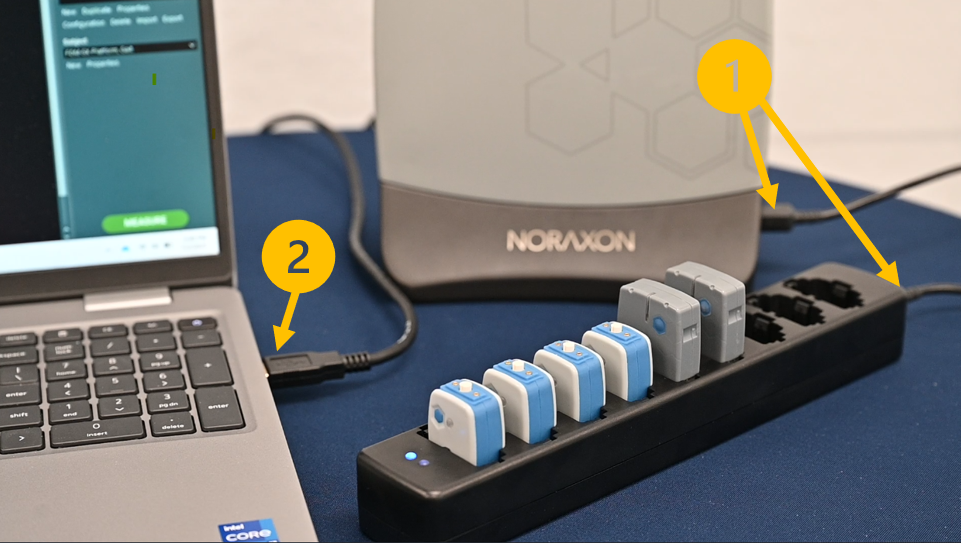
- Each sensor must be in the charging station, and the charging station must be connected to the Ultium receiver.
- The Ultium receiver should be connected to the computer
- Each sensor should be turned on (LEDs blinking blue)
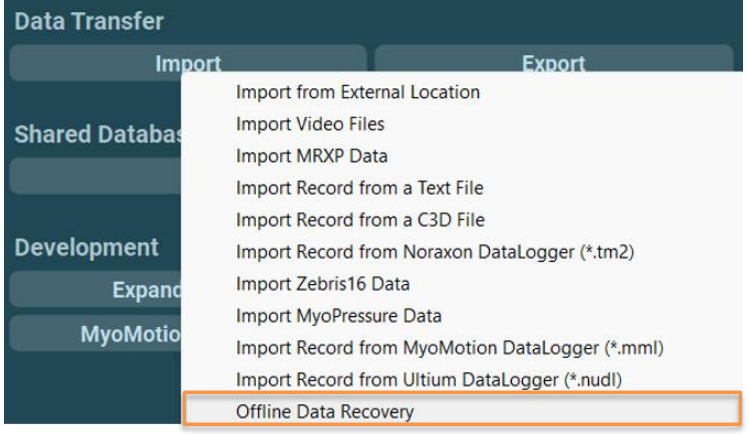
When you’re ready to recover data offline, use the Import function in MR and select the Import Offline Data Recovery option from the Database.
NOTE: If recovery fails, check the connections:
- Charging station should be plugged in securely to the Ultium receiver (press both ends in firmly)
- Sensors must be blinking blue
- Sensor LEDs should face the charging station LED (sensors not placed backwards)
- Ensure sensors make complete contact with charger pins (press down firmly)
For best results, recover data offline as soon as possible after the measurement has ended, and avoid recording more trials. Data stored to the flash memory on board each sensor is automatically over-written when more data is recorded after the memory is full. Each sensor can store up to 8 hours worth of data.
For more details about online and offline data recovery, reference the relevant user manual for your systme in the Lossless Data Recovery section.