
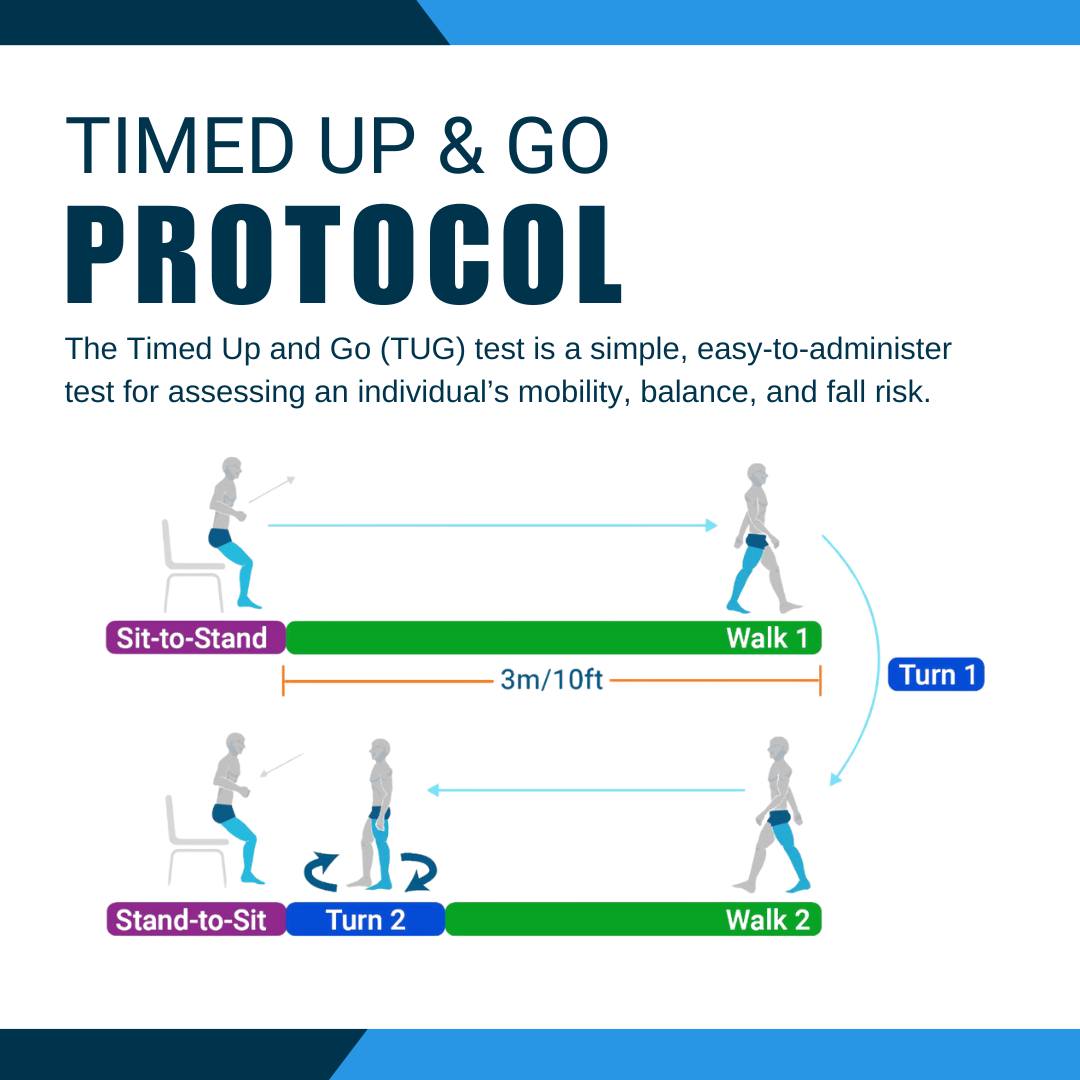
The Timed Up and Go (TUG) test is a simple, easy-to-administer test for assessing an individual’s mobility, balance, and fall risk. The test involves recording how much time it takes a person to rise from a seated position, walk 3 meters, turn, walk back to the chair, and sit down again. The TUG test has been shown to be a reliable and valid measure of mobility and fall risk in older adults and individuals with chronic conditions such as Parkinson’s disease, stroke, and multiple sclerosis.
Preparation
Required Noraxon Hardware:
- 3 IMU sensors (placed on the Left Foot, Right Foot, and Upper Spine)
- Camera (optional)
Required Additional Items:
- Chair
- Tape measure (to measure 3 meters)
General Information (derived from Podsiadlo and Richardson, 1991):
- The subject should sit in a standard chair with arms, placing his or her back against the chair and resting their arms on the chair’s arms.
- If an assistive device is needed for walking, it should be nearby.
- Regular footwear should be used.
- When the test starts, the subject should stand from the chair and walk to a line 3 meters (9.8 feet) away, turn around at the line, walk back to the chair, and sit down.
- The test ends when the subject is seated in the starting position and stable.
- The subject should be instructed to walk at a comfortable walking speed.
Setup
- Measure and mark a 3 meter (9.8 feet) walkway.
- Place a standard height chair at the beginning of the walkway.
Noraxon Setup
Step 1: Place 3 Ultium Motion sensors on the subject on these segments:
- Upper Spine
- Left Foot
- Right Foot
Refer to the Ultium Motion Getting Started Guide for further details on setting up sensors in the Hardware Setup before proceeding.
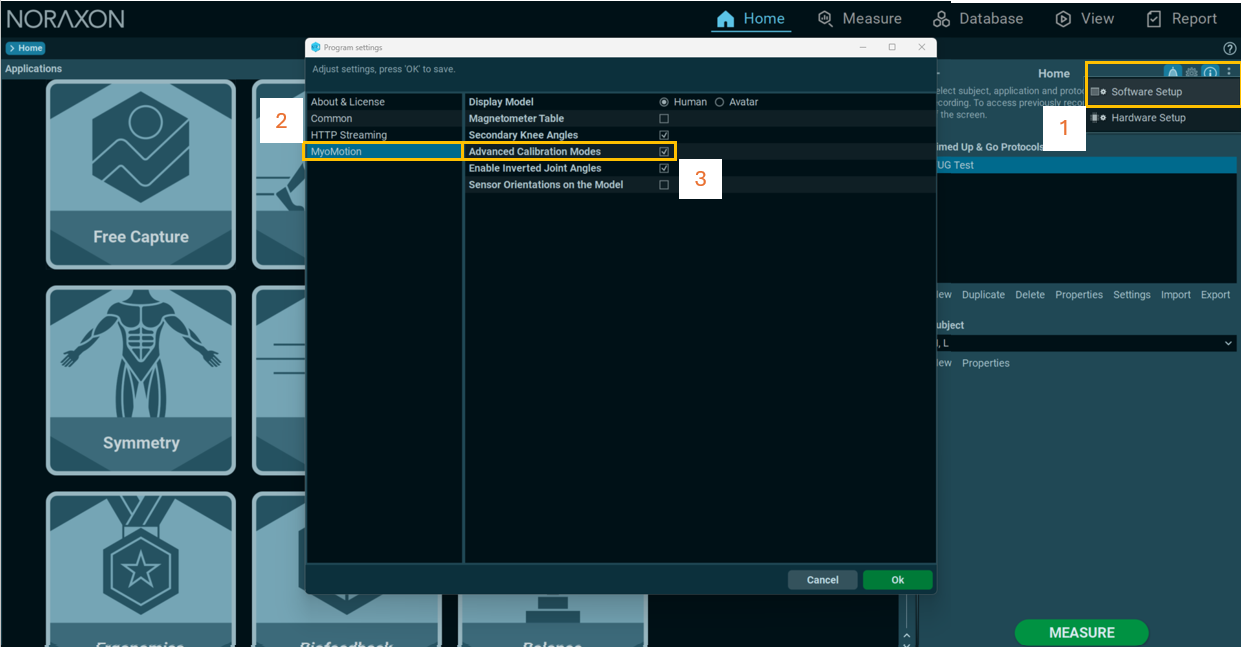
Step 2: If needed, enable Advanced Calibration Modes from the Software Setup.
Step 3: Create a New Subject or Select one from the list.
Step 4: Select the Timed Up & Go Application and the TUG Test Protocol.
Note: If desired, click Configuration when the Tug Test protocol is selected to confirm the configruation contains the Upper Spine, Left Foot, and Right Foot sensors.
Step 5: Click MEASURE from the HOME screen to start recording

Calibration
Step 1: Select the Multipose Calibration Mode, then click ACTIVATE.
Step 2: Follow the calibration wizard to perform the multipose calibration.
Step 3: After completing the calibration, select Save & Measure Again, then ACTIVATE to apply the calibration to the next recording.
Recording the TUG Test
When the subject is ready, click RECORD.
TUG Instructions:
- The subject should sit in a standard chair with arms, placing his or her back against the chair and resting their arms on the chair’s arms.
- If an assistive device is needed for walking, it should be nearby.
- When the recording starts, the subject should stand from the chair and walk to a line 3 meters (9.8 feet) away, turn around at the line, walk back to the chair, and sit down.
- The subject should be instructed to walk at a comfortable walking speed.
- The test ends when the subject is seated in the starting position and stable.
- NOTE: Starting the measurement when the subject is already moving or ending it before the subject is stable will result in failure to detect the TUG activity.
Creating the TUG Report
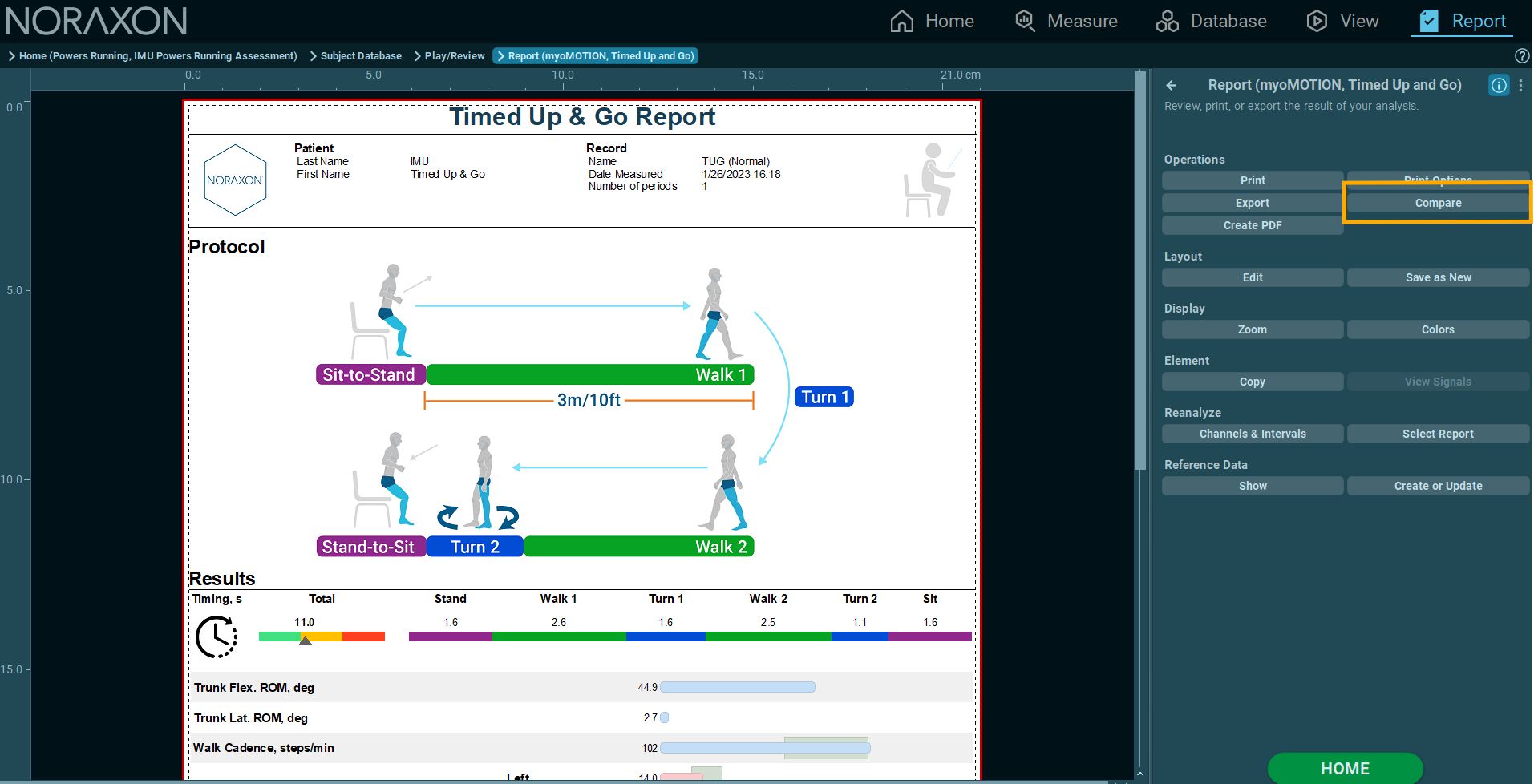
Click REPORT to generate a TUG report.
Additional Features
Compare reports to compare patient progress over time.